Every business owner has said it at least once: "I had a good lead last month, but I forgot to follow up."
One missed call. One forgotten WhatsApp. One prospect who moved on to your competitor, not because your product was worse, but because someone else responded faster.
In sales, consistency beats talent. The team that follows up reliably wins more deals than the team that pitches perfectly but forgets to call back. And consistency is exactly what a CRM is designed to give you.
Track Flows brings a full-featured Sales CRM and Lead Pipeline directly inside your existing business management software, no extra subscription, no new login, no data scattered across three different apps.
The Real Cost of Managing Leads in Spreadsheets
Most small and medium businesses in India still track their leads in Excel or WhatsApp groups. It works, until it doesn't.
- No ownership. Leads live in one salesperson's phone. When they leave, the data leaves with them.
- No visibility. The owner has no idea whether a lead is being followed up or sitting cold for two weeks.
- No pipeline view. You can't tell at a glance how many deals are in negotiation vs. proposal vs. closed.
- No history. When a prospect calls back six months later, no one remembers the context.
What Track Flows CRM Gives You
1. Capture Leads from Any Source
Add leads directly from the CRM, walk-ins, website inquiries, referrals, exhibition contacts, cold calls. Each lead gets a dedicated card with the prospect's name, phone, company, source, and the product or service they're interested in.
2. Visual Pipeline Stages
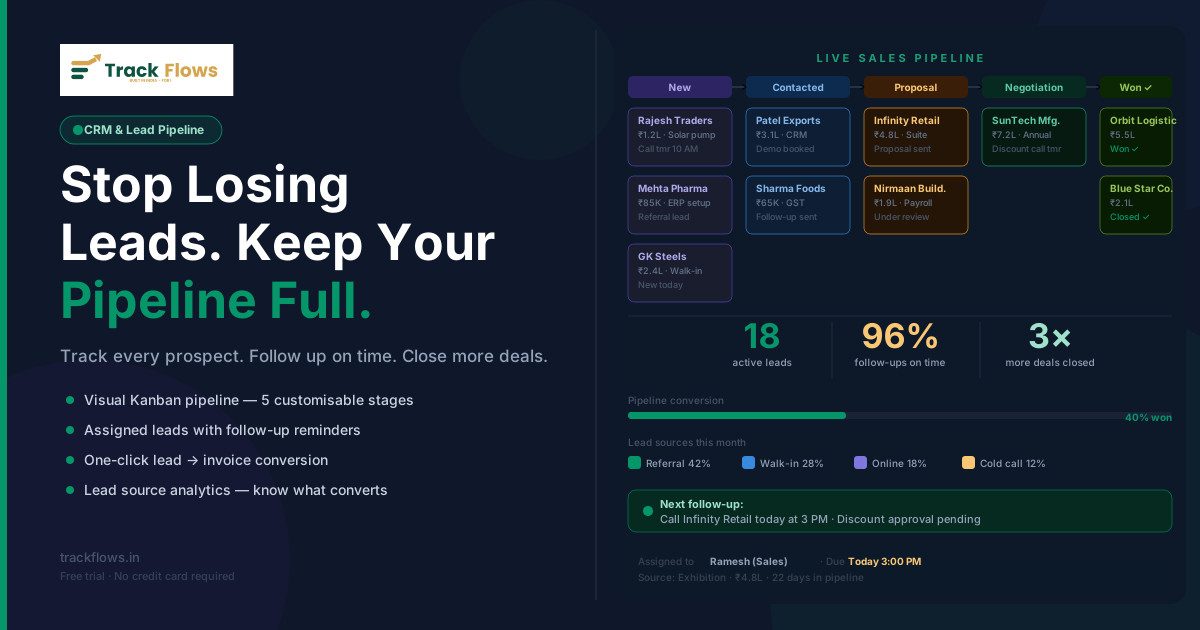
Track Flows uses a Kanban-style pipeline with fully customisable stages: New → Contacted → Qualified → Proposal Sent → Negotiation → Won / Lost.
At a glance, the pipeline board tells you how many leads are in each stage, which deals have been stuck too long, and where your team is spending most of its time.
3. Assigned Ownership and Accountability
Every lead is assigned to a specific sales team member. When a lead is reassigned, the full history travels with it.
4. Follow-Up Reminders That Actually Work
Track Flows' task system is integrated with the lead, set a follow-up date, add a note, and the task shows up in the team member's task list with a reminder. No more "I'll remember to call tomorrow."
5. Lead Source Analytics
Over time, Track Flows shows you which lead sources are actually converting. If 60% of your won deals come from referrals and only 5% from cold calls, that's a strategic insight worth knowing.
6. One-Click Conversion to Invoice
When a lead is marked Won, Track Flows connects directly to your invoicing module. Convert the lead into a sales party and raise your first invoice in under a minute, no re-entering details, no switching tabs.
Real Scenario
Before Track Flows: Your sales rep writes a prospect's number in a notebook after a site visit. Two weeks later, the owner asks "what happened with that Rajkot lead?" Nobody knows.
With Track Flows: Rep adds the lead on the spot. Assigns it to themselves. Sets a follow-up for the next morning. Owner checks the pipeline at 9 AM, sees 3 leads in "Proposal Sent" and one overdue follow-up. Done in 30 seconds.
Conclusion
Your next big customer is probably already in your pipeline, just waiting for someone to follow up. Track Flows makes sure that follow-up happens, that it's tracked, and that when the deal closes, your invoice is ready in one click.
No credit card required · Setup in 10 minutes · Cancel anytime
Leave a Comment